
TL;DR — What You Need to Know
What is schema markup? Schema markup is structured code — written in a format called JSON-LD — that you add to your website to tell search engines and AI tools exactly what your content is, who created it, and what specific information it contains. Without it, AI tools must guess the meaning of your content from context. With it, you hand AI a clearly labelled map of your page that removes all ambiguity.
Why does it matter for AI visibility? A Princeton University study on generative engine optimisation found that content with proper structured data, citations, and statistics increases the probability of being cited in AI responses by over 40%. Schema markup is the single most direct technical signal you can send to AI. It does not guarantee a citation — but its absence significantly reduces the chance of one.
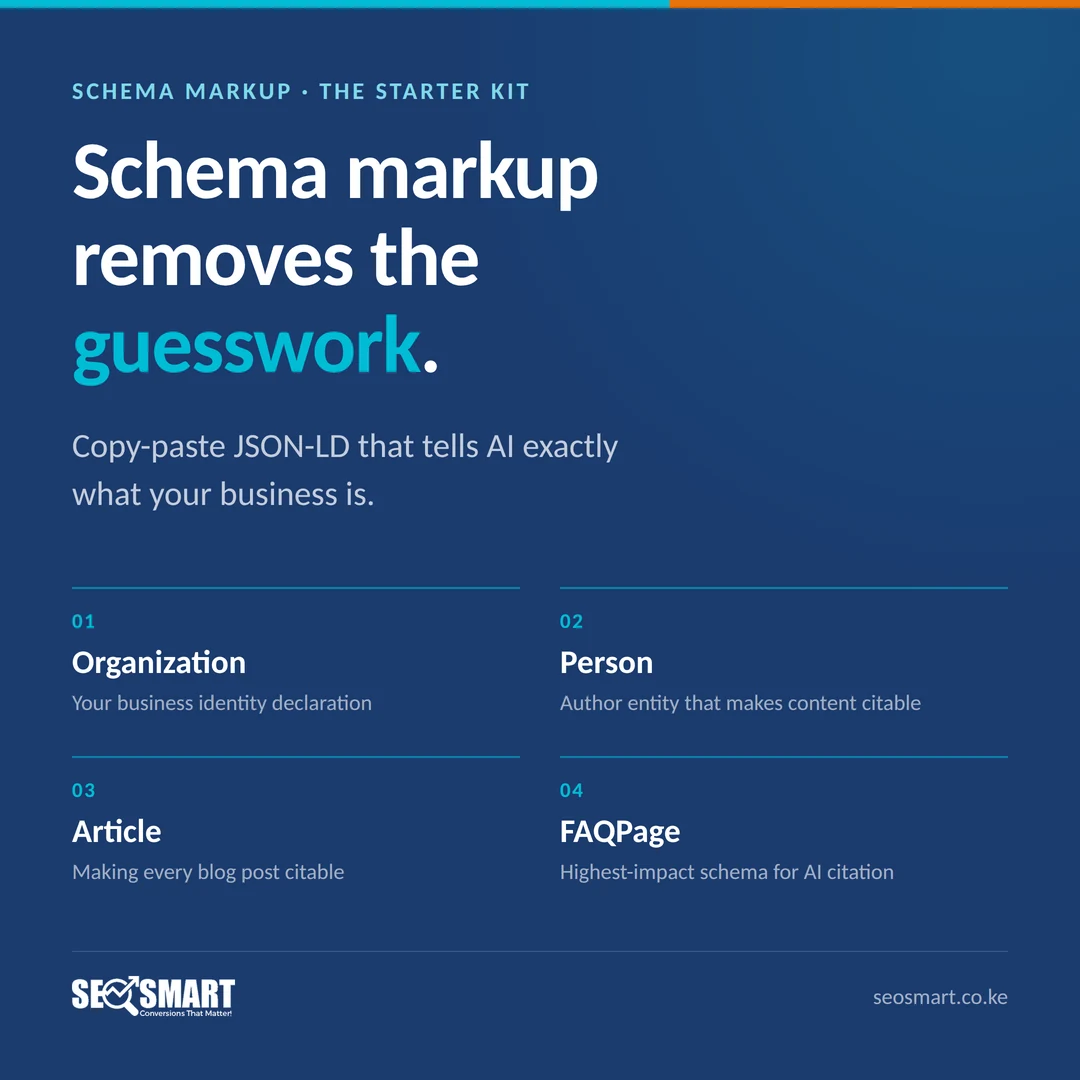
The framework: The Schema Starter Kit — developed by Mehul Shah of SEO Smart — identifies the seven schema types that matter most for AI citation and provides copy-paste JSON-LD templates for each. The seven types are: Organisation, LocalBusiness, Person, Article, FAQPage, HowTo, and — for product and inventory businesses — Product. Each type does a different job, and most small businesses need at least four of them.
What this article gives you: Plain-English explanations of each schema type, annotated JSON-LD code examples you can adapt directly, a WordPress implementation guide that requires no developer, a common errors checklist, and a validation process to confirm everything is working before you publish.
Time to implement: A full Schema Starter Kit implementation takes most small businesses three to five hours spread across two sessions. The FAQPage schema alone — the single highest-impact type for AI citation — takes under an hour on the first article you apply it to.
Why AI Reads Your Content Like a Tourist Without a Phrasebook
Imagine landing in a country where you do not speak the language. You can see things. You can tell roughly what is happening. But without the ability to read the labels, interpret the signs, and understand the specific meaning of what is in front of you — you miss a lot. You make guesses. Some of them are right. Many of them are not.
That is roughly how AI reads your website without schema markup.
AI crawlers are sophisticated enough to infer a lot from plain text. They can understand that a page is probably about a business, that it probably offers a service, that it probably has some kind of expert author. But “probably” is not the same as “certainly” — and AI tools, trained to avoid confident claims about uncertain things, lean toward caution when they cannot be sure.
Schema markup removes the guesswork. Instead of asking AI to infer that your page is a business listing, you tell it directly, in a standardised format it reads fluently: “This is an organisation. Its name is X. Its category is Y. Its contact details are Z. Its founder is this person with these credentials.” Instead of hoping AI correctly identifies your FAQ section, you label each question and answer explicitly so AI can extract and cite them with precision.
The result is that schema-marked-up content is not just more likely to rank — it is more likely to be cited. Because AI can cite what it can read with confidence.
This article is part of the Visibility Engine knowledge cluster and builds directly on two companion articles. Entity authority (T1) establishes what your brand is across the web. E-E-A-T signals (T2) establish that your brand is trustworthy. Schema markup is how both of those things become machine-readable — the technical translation layer that turns your identity and credibility into a language AI can parse instantly and confidently.
Let us go through exactly what you need, what it looks like in code, and how to add it to your WordPress site without a developer.
What Is Schema Markup — and What Is JSON-LD?
Schema markup is a shared vocabulary for describing things on the web. It was created collaboratively by Google, Microsoft, Yahoo, and Yandex in 2011 — and it has become the universal standard for structured data on the internet. The full vocabulary lives at Schema.org and covers thousands of entity types, from businesses and people to recipes, events, products, and medical conditions.
The vocabulary tells you what to describe. The format tells you how to describe it. There are three formats for writing schema markup — Microdata, RDFa, and JSON-LD — but JSON-LD is the one Google explicitly recommends, the one AI crawlers parse most reliably, and the one we use throughout this article.
JSON-LD stands for JavaScript Object Notation for Linked Data. It sounds technical. The structure is actually quite readable once you know what the parts mean.
Here is the simplest possible JSON-LD example — schema markup for a local business:
<script type="application/ld+json">
{
  "@context": "https://schema.org",
  "@type": "LocalBusiness",
  "name": "SEO Smart",
  "url": "https://www.seosmart.co.ke",
  "telephone": "+254722634858",
  "address": {
    "@type": "PostalAddress",
    "streetAddress": "Msapo Close, Last Gate on the Left, Next to Pax Mayfair Suites",
    "addressLocality": "Nairobi",
    "postalCode": "00610",
    "addressCountry": "KE"
  }
}
</script>
Reading that back in plain English: “This page describes a local business called SEO Smart. Its website is seosmart.co.ke. Its phone number is +254722634858. It is located at Msapo Close, Nairobi 00610, Kenya.”
That is it. No guessing. No inference. No ambiguity. AI reads that block and knows exactly what it is dealing with.
The script tag goes in the <head> section of your HTML, or — on WordPress — it gets added via a plugin that handles the placement for you. The content inside the curly braces is what you customise.
The @context line tells AI which vocabulary you are using (Schema.org). The @type line tells it what kind of entity this is. Everything else is properties of that entity — its name, address, contact details, and so on.
That is the whole structure. Everything in this article is a variation on that pattern, applied to different entity types with different properties.
The Schema Starter Kit: Seven Schema Types That Matter for AI Citation
There are hundreds of schema types in the Schema.org vocabulary. Most of them are irrelevant to the average small business website. The Schema Starter Kit focuses on the seven that have the most direct impact on AI citation — the ones that build entity identity, establish author credibility, and make your content directly extractable by AI tools.
Schema Type 1: Organisation — Your Business Identity Declaration
What it does: Declares your business as a named, verifiable organisation with a defined set of properties — name, URL, logo, founding date, contact information, social media profiles, and description. This is the master entity declaration for your business. Everything else references it.
Why AI needs it: Organisation schema is how AI maps your business name to a distinct, verified entity rather than an ambiguous string of words. When AI encounters “SEO Smart” on a web page, it needs to know whether that refers to the Nairobi-based digital marketing agency or some other business with a similar name. Organisation schema provides the unique identifier that removes that ambiguity.
Where to add it: Your homepage, and ideally your About page as well. These are the two pages most likely to be crawled when AI is building its entity model of your business.
Template:
<script type="application/ld+json">
{
  "@context": "https://schema.org",
  "@type": "Organization",
  "name": "Your Business Name",
  "legalName": "Your Business Legal Name Ltd",
  "url": "https://www.yourdomain.com",
  "logo": "https://www.yourdomain.com/wp-content/uploads/logo.png",
  "foundingDate": "2010",
  "description": "A one to two sentence description of what your business does and who it serves.",
  "telephone": "+[your number]",
  "email": "[email protected]",
  "address": {
    "@type": "PostalAddress",
    "streetAddress": "Your Street Address",
    "addressLocality": "Your City",
    "addressRegion": "Your Region",
    "postalCode": "Your Postcode",
    "addressCountry": "Your Country Code"
  },
  "sameAs": [
    "https://www.linkedin.com/company/your-company",
    "https://www.facebook.com/yourpage",
    "https://twitter.com/yourhandle",
    "https://www.instagram.com/yourhandle",
    "https://www.youtube.com/@yourchannel"
  ]
}
</script>
The sameAs property is the most important thing in this block after your name and URL. It is an explicit list of other URLs that refer to the same entity — your social profiles, your Wikipedia page if you have one, your profiles on industry directories. AI uses this property to link all your online presences into a single, unified entity node. Every social profile and directory listing you have should be listed here.
Common error to avoid: The logo URL must point to an actual image file (PNG, JPG, or SVG), not to a web page. If your logo URL does not end in an image extension or returns a 404, AI cannot validate it and the property is wasted.
Schema Type 2: LocalBusiness — For Businesses With a Geographic Presence
What it does: Extends Organisation schema with geographic-specific properties — precise address, opening hours, geographic coordinates, price range, and service area. It is the schema type that tells AI “this business operates in a specific physical location and serves customers who are geographically near it.”
Why AI needs it: When a user asks ChatGPT “what is the best dental clinic in Westlands, Nairobi?” — AI needs to know which businesses are actually located in Westlands, Nairobi, and whether they are a dental clinic. LocalBusiness schema with precise address data is the direct answer to that question. Without it, AI is guessing your location from context clues on the page. With it, your location is explicitly declared and machine-readable.
Where to add it: Homepage and Contact page. For businesses with multiple locations, create a separate LocalBusiness schema block for each location, ideally on a dedicated location page for each branch.
Template:
<script type="application/ld+json">
{
  "@context": "https://schema.org",
  "@type": "LocalBusiness",
  "name": "Your Business Name",
  "image": "https://www.yourdomain.com/wp-content/uploads/storefront.jpg",
  "url": "https://www.yourdomain.com",
  "telephone": "+[your number]",
  "priceRange": "$$",
  "address": {
    "@type": "PostalAddress",
    "streetAddress": "123 Your Street",
    "addressLocality": "Your City",
    "addressRegion": "Your Region",
    "postalCode": "Your Postcode",
    "addressCountry": "KE"
  },
  "geo": {
    "@type": "GeoCoordinates",
    "latitude": -1.2921,
    "longitude": 36.8219
  },
  "openingHoursSpecification": [
    {
      "@type": "OpeningHoursSpecification",
      "dayOfWeek": ["Monday","Tuesday","Wednesday","Thursday","Friday"],
      "opens": "08:00",
      "closes": "17:30"
    },
    {
      "@type": "OpeningHoursSpecification",
      "dayOfWeek": "Saturday",
      "opens": "09:00",
      "closes": "13:00"
    }
  ],
  "areaServed": {
    "@type": "City",
    "name": "Nairobi"
  }
}
</script>
The geo property — your precise latitude and longitude coordinates — is something many businesses skip. Do not skip it. For local AI citation (the queries that include a location or use “near me” intent), geographic coordinates are one of the most direct signals AI uses to match your business to a location-specific query. Find your coordinates using Google Maps: right-click your location on the map and copy the latitude/longitude numbers that appear.
Note on LocalBusiness subtypes: Schema.org has specific subtypes of LocalBusiness for different business categories — MedicalClinic, LegalService, FinancialService, AutoDealer, Hotel, and dozens more. Using the most specific subtype available rather than the generic LocalBusiness type gives AI a more precise entity classification. A dental clinic should use "@type": "Dentist", not just "@type": "LocalBusiness". Check Schema.org for the subtype that fits your business category most precisely.
Schema Type 3: Person — The Author Entity That Makes Your Content Citable
What it does: Declares a named individual as a distinct entity with a professional identity, credentials, affiliation, and online presence. When linked to your Article schema, it tells AI: this content was produced by this specific, verifiable person with these specific qualifications.
Why AI needs it: As we covered in the E-E-A-T article, named, credentialled authorship is the single most important trust signal for AI citation. Person schema is the technical implementation of that principle. Without it, even a well-written, expert-authored article has no machine-readable author identity — AI cannot cross-reference the author against other sources to validate their credentials. With it, AI has a direct path from your content to a verifiable human expert.
Where to add it: On your author bio page. Then reference it in every Article schema block using the author property (see Article schema below).
Template:
<script type="application/ld+json">
{
  "@context": "https://schema.org",
  "@type": "Person",
  "name": "Mehul Shah",
  "url": "https://www.seosmart.co.ke/about/mehul-shah/",
  "image": "https://www.seosmart.co.ke/wp-content/uploads/mehul-shah.jpg",
  "jobTitle": "Founder and Head of SEO",
  "description": "Mehul Shah is the founder of SEO Smart, a digital marketing agency based in Nairobi, Kenya. With deep marketing experience, he specialises in AI visibility, generative engine optimisation, and conversion-focused SEO for East African and global brands.",
  "knowsAbout": [
    "Search Engine Optimization",
    "Generative Engine Optimization",
    "AI Visibility",
    "Content Marketing",
    "Conversion Rate Optimization"
  ],
  "worksFor": {
    "@type": "Organization",
    "name": "SEO Smart",
    "url": "https://www.seosmart.co.ke"
  },
  "sameAs": [
    "https://www.linkedin.com/in/[mehul-shah-linkedin-slug]",
    "https://twitter.com/[twitter-handle]"
  ]
}
</script>
The knowsAbout property is worth paying attention to. It explicitly declares the topic areas this person has expertise in — giving AI a direct mapping between the author entity and the subjects they are qualified to speak on. For a pharmacist, this might list “pharmaceutical dispensing,” “drug interactions,” “patient counselling,” and “OTC medication guidance.” For a lawyer, it might list the specific practice areas they cover. Be specific and accurate — this list should reflect genuine expertise, not aspirational keywords.
Schema Type 4: Article — Making Every Blog Post Citable by AI
What it does: Declares a web page as a piece of authored content — a blog post, article, or guide — with a defined headline, author, publisher, date published, date modified, and description. It connects your content to your author entity and your organisation entity, creating a machine-readable citation trail.
Why AI needs it: When AI generates a response and cites a source, it needs to know when that content was written (for freshness evaluation), who wrote it (for credibility evaluation), and what the headline is (for accurate attribution). Article schema provides all three in a single, standardised block. Pages without Article schema force AI to infer all of this from the page content — which means more uncertainty and lower citation confidence.
Where to add it: Every blog post and article on your site. This should be automated via your SEO plugin so every new post gets Article schema by default.
Template:
<script type="application/ld+json">
{
  "@context": "https://schema.org",
  "@type": "Article",
  "headline": "Schema Markup for Small Business: What AI Actually Needs to Cite You",
  "description": "Schema markup is the language AI reads before deciding whether to cite you. Here is exactly which schemas you need, what goes inside them, and how to add them to WordPress.",
  "image": "https://www.seosmart.co.ke/wp-content/uploads/schema-markup-guide.jpg",
  "datePublished": "YYYY-MM-DD",
  "dateModified": "YYYY-MM-DD",
  "author": {
    "@type": "Person",
    "name": "Mehul Shah",
    "url": "https://www.seosmart.co.ke/about/mehul-shah/"
  },
  "publisher": {
    "@type": "Organization",
    "name": "SEO Smart",
    "logo": {
      "@type": "ImageObject",
      "url": "https://www.seosmart.co.ke/wp-content/uploads/logo.png"
    }
  },
  "mainEntityOfPage": {
    "@type": "WebPage",
    "@id": "https://www.seosmart.co.ke/schema-markup-small-business/"
  }
}
</script>
The dateModified property is not optional. AI tools — particularly Perplexity and Google AI Overviews — weight content recency heavily. Research shows approximately 44% of AI Overview citations come from content published in the current year. A piece of content whose dateModified is two years ago will consistently lose out to a fresher source covering the same topic, all else being equal. Every time you significantly update an article, update this date. Do not update it for trivial edits — only for meaningful content changes. Inflating modification dates is a trust violation that Google’s quality systems detect.
Use BlogPosting instead of Article for conversational blog content. Both work, but BlogPosting is the more semantically accurate type for informal blog posts. Article is better for long-form guides, research pieces, and reference content. For this cluster, all articles use Article type.
Schema Type 5: FAQPage — The Single Highest-Impact Schema for AI Citation
What it does: Marks up a list of questions and their corresponding answers as a machine-readable FAQ structure. When AI generates a response to a question, it pulls from sources it can identify as definitively answering that question. FAQPage schema is an explicit declaration: “this section contains the direct answer to this specific question.”
Why AI needs it: This is the schema type with the most direct relationship to AI citation. When someone asks ChatGPT “how long does it take to build entity authority?” — AI pulls from sources that explicitly answer that question. A page with FAQPage schema containing that question and a clear answer is a higher-confidence citation source than a page that answers the question somewhere in the body text but without explicit FAQ markup. FAQPage schema is essentially a direct offer to AI: “here is the answer, ready to extract.”
Where to add it: Every page that has a FAQ section. Every article in this cluster has a FAQ section and should have FAQPage schema. High-priority pages to retrofit: your homepage, your main service pages, your top five most-visited blog posts.
Template:
<script type="application/ld+json">
{
  "@context": "https://schema.org",
  "@type": "FAQPage",
  "mainEntity": [
    {
      "@type": "Question",
      "name": "What is schema markup?",
      "acceptedAnswer": {
        "@type": "Answer",
        "text": "Schema markup is structured code added to a website that tells search engines and AI tools exactly what type of content each page contains and what specific information it includes. It uses a standardised vocabulary (Schema.org) and is most commonly written in JSON-LD format. Schema markup allows AI to read your content with confidence rather than inferring meaning from context."
      }
    },
    {
      "@type": "Question",
      "name": "Do I need a developer to add schema markup?",
      "acceptedAnswer": {
        "@type": "Answer",
        "text": "No. On WordPress, plugins like Yoast SEO Premium, RankMath, and Schema Pro generate most schema types from simple settings forms with no code required. For custom JSON-LD additions, you can paste the code directly into a Custom HTML block in the WordPress block editor. The only schema type that typically requires developer assistance is custom schema for complex e-commerce or inventory systems."
      }
    },
    {
      "@type": "Question",
      "name": "How many questions should a FAQ schema section have?",
      "acceptedAnswer": {
        "@type": "Answer",
        "text": "Between four and ten questions is the practical range for most pages. Fewer than four provides minimal schema benefit. More than ten can dilute the specificity of each answer. Each question in your FAQPage schema should match a real question your customers ask — drawn from search queries, sales call transcripts, customer support tickets, or keyword research tools. Generic or SEO-stuffed questions do not improve AI citation likelihood."
      }
    }
  ]
}
</script>
Critical rule: The text in your FAQPage schema must exactly match the visible FAQ content on the page. Do not have different answers in the schema than on the visible page. This is both a Google quality guideline requirement and a common sense trust principle — if AI cites your schema answer and a user clicks through to find a different answer on the page, that is a trust violation.
For most businesses, start here. If you only implement one schema type from this entire article this week, make it FAQPage on your most important page. Add four to six real questions your customers ask, answer each one in two to three concise sentences, and add the FAQPage schema block. This single action has a disproportionate impact on AI citation because it speaks directly to the question-and-answer format that AI is optimised to extract from.
Schema Type 6: HowTo — For Step-by-Step Instructional Content
What it does: Marks up step-by-step instructional content — guides, tutorials, processes, procedures — as a structured sequence of steps with tools, time estimates, and outcomes. When AI answers “how do I do X?” it often pulls from HowTo schema because the structured format gives it a clean, ordered response to return to the user.
Why AI needs it: “How to” queries are some of the most common queries submitted to AI tools. “How to write a business plan,” “how to set up Google Analytics,” “how to register a company in Kenya” — these queries are explicitly answered by content with HowTo schema. The structured steps format also makes voice search extraction exceptionally clean, as voice assistants can read out steps sequentially.
Where to add it: Any article or page that walks through a process in numbered steps. Implementation guides, tutorials, checklists (when formatted as sequential steps), and how-to content of any kind.
Template (abbreviated for readability — add as many steps as needed):
<script type="application/ld+json">
{
  "@context": "https://schema.org",
  "@type": "HowTo",
  "name": "How to Add Schema Markup to a WordPress Site",
  "description": "A step-by-step guide to implementing Organization, Article, and FAQPage schema markup on a WordPress website using the RankMath plugin, with no developer required.",
  "totalTime": "PT3H",
  "step": [
    {
      "@type": "HowToStep",
      "position": "1",
      "name": "Install RankMath SEO",
      "text": "Go to Plugins > Add New in your WordPress dashboard. Search for RankMath SEO. Click Install Now, then Activate. Complete the setup wizard — connect your Google Search Console account when prompted.",
      "url": "https://www.seosmart.co.ke/schema-markup-small-business/#step-1"
    },
    {
      "@type": "HowToStep",
      "position": "2",
      "name": "Configure your Organization schema",
      "text": "In RankMath, go to RankMath > Titles & Meta > Local SEO. Enter your business name, type, address, phone number, and logo. Save changes. This generates your Organization and LocalBusiness schema automatically.",
      "url": "https://www.seosmart.co.ke/schema-markup-small-business/#step-2"
    },
    {
      "@type": "HowToStep",
      "position": "3",
      "name": "Enable Article schema for blog posts",
      "text": "In RankMath > Titles & Meta > Posts, set the Schema Type to Article or BlogPosting. This applies Article schema automatically to every new post. For existing posts, edit each one and set the schema type in the RankMath meta box in the post editor.",
      "url": "https://www.seosmart.co.ke/schema-markup-small-business/#step-3"
    }
  ]
}
</script>
The totalTime property uses ISO 8601 duration format. PT3H means “3 hours.” PT30M means “30 minutes.” PT1H30M means “1 hour 30 minutes.” Including this gives AI a useful data point when a user asks “how long does it take to add schema markup” — your content becomes the direct answer to that query if you have included it and a competitor has not.
Schema Type 7: Product — For E-Commerce, Inventory, and Service Listings
What it does: Declares a specific product or service offering with a name, description, brand, pricing, availability, and review data. For e-commerce businesses, this is the schema that feeds AI shopping modules and product comparison answers. For service businesses, Service schema (a close relative of Product) performs the equivalent function for individual service offerings.
Why AI needs it: AI shopping integrations — in ChatGPT, in Google AI Overviews, and in Perplexity — pull product data from structured sources. A product without Product schema is effectively invisible to these AI shopping features, regardless of how good the product page copy is. For three industries in particular — e-commerce, real estate, and automotive — product and inventory schema is the single most critical schema implementation. We cover this in depth in their dedicated guides:
- AI Visibility for E-Commerce: how Product schema feeds AI shopping modules →
- AI Visibility for Real Estate: how property listing schema captures location-based AI queries →
- AI Visibility for Automotive Dealers: how inventory schema wins conversational car searches →
Template (core Product schema):
<script type="application/ld+json">
{
  "@context": "https://schema.org",
  "@type": "Product",
  "name": "Visibility Engine Service",
  "image": "https://www.seosmart.co.ke/wp-content/uploads/visibility-engine.jpg",
  "description": "An all-in-one AI visibility and SEO system covering Google SEO, AI assistant citation optimisation, Google AI Overviews, voice search, and social media discoverability.",
  "brand": {
    "@type": "Brand",
    "name": "SEO Smart"
  },
  "offers": {
    "@type": "Offer",
    "priceCurrency": "KES",
    "price": "0",
    "priceValidUntil": "2025-12-31",
    "availability": "https://schema.org/InStock",
    "url": "https://www.seosmart.co.ke/visibility-engine/"
  },
  "aggregateRating": {
    "@type": "AggregateRating",
    "ratingValue": "4.9",
    "reviewCount": "47"
  }
}
</script>
Note on the aggregateRating property: Only include this if you have genuine, independently verifiable reviews. Do not fabricate review counts or ratings — Google and AI tools cross-reference this data against review platforms and will penalise discrepancies. If you do have genuine reviews, this property is powerful — it gives AI a quantified trust signal it can include in generated responses (“rated 4.9 by 47 customers”).
How to Add Schema Markup to WordPress: No Developer Required
There are two approaches to adding schema markup in WordPress — plugin-generated and manually coded. For most small businesses, a combination of both is the right answer: use a plugin for the schemas it handles automatically, and manually add JSON-LD blocks for the schemas that need custom content.
Approach 1: Plugin-Generated Schema (Recommended for Most Types)
The three best plugins for schema markup on WordPress in 2025 are RankMath, Yoast SEO Premium, and Schema Pro. Each handles the core schema types automatically from settings forms — no code required.
RankMath (free and paid):
The free version of RankMath handles Organisation schema, LocalBusiness schema, Article schema on posts, FAQPage schema via a dedicated block in the editor, and HowTo schema via another dedicated block. For most small businesses, the free version covers everything in the Schema Starter Kit except for the most customised JSON-LD additions. The Pro version adds more granular control and additional schema types.
Key RankMath settings for schema:
- RankMath > Titles & Meta > Local SEO — set up your Organisation and LocalBusiness schema here
- RankMath > Titles & Meta > Posts — set the default Schema Type to Article or BlogPosting
- In the post editor — use the RankMath FAQ block to add FAQPage schema to individual posts
- In the post editor — use the RankMath HowTo block for step-by-step content
Yoast SEO Premium:
Yoast SEO (free) handles basic Organisation and Article schema automatically. Yoast SEO Premium adds Schema blocks for FAQPage and HowTo in the editor. If you are already using Yoast for your general SEO, upgrading to Premium for the schema blocks is a reasonable option rather than adding a second plugin.
Schema Pro:
A dedicated schema plugin with a wider range of schema types than the general SEO plugins and more granular control over properties. If your business has complex schema requirements — multiple locations, multiple product types, a combination of LocalBusiness subtypes — Schema Pro gives more flexibility than the general SEO plugins.
Approach 2: Manual JSON-LD in a Custom HTML Block
For schema types that your plugin does not generate automatically — or for situations where you need more control over specific properties than the plugin interface allows — you can paste JSON-LD code directly into a WordPress Custom HTML block.
In the WordPress block editor:
- Add a new block and select Custom HTML
- Paste your complete
<script type="application/ld+json">...</script>block into the Custom HTML block - Place this block at the top of the page or article content (before the first visible paragraph)
- Publish or update the page
- Validate immediately using Google’s Rich Results Test (see validation section below)
The JSON-LD in a Custom HTML block does not display visibly on the page — it exists in the page’s HTML source code where AI crawlers read it. You will see a grey placeholder in the editor saying “Custom HTML” but nothing renders in the published page view.
What Goes in the Site Head vs. the Page Body?
Technically, JSON-LD can be placed anywhere in the page HTML — Google officially supports it in both the <head> and the <body>. Practically:
- Organisation and LocalBusiness schema — ideally in the
<head>, added automatically by your SEO plugin - Article, FAQPage, HowTo, and Person schema — in the page body via Custom HTML blocks or plugin editor blocks is fine and simpler for most WordPress users
- Product schema — in the page body, on individual product or service pages
How to Validate Your Schema: Two Tools You Must Use
Adding schema markup and assuming it is working is one of the most common schema mistakes. Broken schema — markup that exists in the code but contains errors — can actively create contradictory entity signals. Always validate before moving on.
Tool 1: Google’s Rich Results Test
URL: search.google.com/test/rich-results
Enter your page URL (or paste your page HTML directly). The tool shows you every schema type it detects on the page, any errors (required properties missing or incorrectly formatted), and any warnings (non-critical issues). Fix every error before publishing. Warnings are lower priority but worth addressing when time allows.
Run this test:
- After initial schema implementation on any page
- After any plugin update that might affect schema output
- After any significant page content updates
- Monthly on your five most important pages as a routine check
Tool 2: Schema.org Validator
URL: validator.schema.org
This is the official validator from Schema.org itself. It is more technically detailed than Google’s Rich Results Test and shows you the full entity graph it extracts from your page — which is useful for verifying that your sameAs links, author references, and organisation relationships are being interpreted correctly. If something looks wrong in how AI is representing your entity, the Schema.org validator often shows you why.
What to Look For in Validation Results
Errors (always fix):
- Missing required properties — e.g. Organisation schema without a
nameproperty - Incorrect property values — e.g. a URL property containing plain text instead of a URL
- Invalid image URLs — pointing to a page rather than an image file
- FAQPage answers that do not match visible page content
Warnings (fix when possible):
- Recommended but not required properties missing — e.g.
foundingDateon Organisation - Image dimensions not meeting Google’s recommended minimums (1200px wide for Article images)
- Price data missing from Product offers
Eight Schema Markup Errors That Cancel Out Your AI Visibility Efforts
Error 1: Schema That Does Not Match Visible Page Content
This is Google’s number one schema quality rule — and the most commonly violated one. If your FAQPage schema contains answers that are not visible on the actual page, or your Article schema has a headline that does not match the H1 on the page, that is a quality violation. Always write your visible content first, then write the schema to match it exactly. Never put information in schema that does not also appear for users to read.
Error 2: Blocking AI Crawlers in robots.txt
Schema markup is irrelevant if AI cannot crawl the page to read it. Before anything else, verify that your robots.txt file is not blocking GPTBot, Google-Extended, PerplexityBot, or Claude-Web. A misconfigured robots.txt that blocks AI crawlers is the single fastest way to undo every schema investment you make. Check your robots.txt file at yourdomain.com/robots.txt.
Error 3: Duplicate Schema Blocks
When a plugin generates schema automatically and you also manually add a JSON-LD block, the result is often two conflicting schema blocks on the same page — two Organisation schemas with slightly different data, or two Article schemas with different dates. AI sees both and cannot determine which is correct. Check your page source for duplicate application/ld+json script tags and eliminate them.
Error 4: Static Dates That Never Get Updated
The dateModified property in Article schema is only valuable if it accurately reflects when the content was last meaningfully updated. A dateModified from three years ago is worse than no date at all for AI citation freshness signals. Commit to updating this date every time you make a significant content revision — and make that revision process systematic rather than ad hoc.
Error 5: sameAs Links Pointing to Incomplete or Inactive Profiles
The sameAs property in Organisation and Person schema is supposed to link to active, complete profiles that corroborate your entity identity. Linking to an abandoned LinkedIn company page with no description, or a Twitter account that was last active in 2021, sends a weaker signal than no link at all — because it creates an entity node that AI finds and then discovers is incomplete or inconsistent. Only include sameAs links to profiles you actively maintain.
Error 6: JavaScript-Rendered Schema
Some themes and page builders render schema markup via JavaScript rather than including it in the initial HTML. AI crawlers — like search engine crawlers — often cannot execute JavaScript, which means they read the page HTML before JavaScript runs and find no schema at all. Verify that your schema appears in your page source HTML (right-click > View Page Source) rather than only appearing after JavaScript execution. If it does not appear in the source HTML, your AI visibility efforts in this area are being wasted.
Error 7: Fabricated or Inflated Review Data
Including an aggregateRating in Product or LocalBusiness schema with fabricated or inflated review counts is a trust violation that Google’s quality systems actively detect and penalise. The consequences — a manual penalty on your site or a significant reduction in AI citation likelihood — are disproportionate to any short-term benefit. Only include review data that is accurate and independently verifiable.
Error 8: Skipping Validation After Plugin Updates
WordPress plugin updates can and do change schema output. A plugin update that introduces a new field to Organisation schema might also accidentally overwrite your custom additions, or introduce a format error that breaks your FAQPage schema. Schedule a Rich Results Test check of your five most important pages after every major SEO plugin update. This takes ten minutes and protects months of schema investment.
Where to Start: Schema Implementation Priority for Small Businesses
If you are starting from zero, here is the exact sequence that gives you the fastest impact for the least effort:
Day 1 — Organisation schema on homepage (30 minutes): This is your master entity declaration. Everything else references it. Use RankMath or Yoast Local SEO to set it up from the settings form — no code required. Validate immediately with Google’s Rich Results Test.
Day 2 — FAQPage schema on your most important service page (45 minutes): Identify the four to six questions customers most commonly ask about your flagship service. Write clear, direct answers. Add an FAQ section to the page. Use the RankMath FAQ block or Yoast FAQ block to generate FAQPage schema automatically. Validate.
Day 3 — Article schema on your top five blog posts (60 minutes): If your SEO plugin is set to generate Article schema automatically for new posts, check that it is doing so correctly on existing posts. For each of your top five posts, verify the schema in the Rich Results Test and fix any errors. Manually add or correct the dateModified property if needed.
Week 2 — Person schema on your author bio page (45 minutes): Write the JSON-LD block using the Person schema template above. Add it as a Custom HTML block to your author bio page. Validate. Then go back to your Article schema blocks and verify that the author property in each one links correctly to your author bio page URL.
Week 3 — FAQPage schema on remaining key pages (ongoing): Add FAQ sections and FAQPage schema to every significant page on your site that addresses questions — service pages, industry pages, about page. Treat this as an ongoing practice: every time you publish a new article, include a FAQ section and FAQPage schema as standard.
Month 2 onwards — Product, HowTo, LocalBusiness subtype refinement: Once the foundational schemas are in place and validated, layer in the more specific types relevant to your business category. For e-commerce businesses, Product schema becomes the priority. For location-based businesses, LocalBusiness subtype precision and opening hours accuracy. For instructional content publishers, HowTo schema on every relevant guide.
Key Takeaways
- Schema markup is the technical translation layer between your content and AI comprehension. It removes inference and replaces it with explicit, machine-readable declarations about who you are, what you publish, and what specific information your content contains.
- The Schema Starter Kit covers seven types: Organisation, LocalBusiness, Person, Article, FAQPage, HowTo, and Product. Most small businesses need at least four of these on their site — Organisation, Article, Person, and FAQPage — as a minimum viable schema foundation.
- FAQPage schema is the single highest-impact type for AI citation. It directly offers AI a ready-to-extract question-and-answer pair. If you only implement one schema type this week, make it FAQPage on your most important page.
- The
sameAsproperty in Organisation schema is the entity linking mechanism that tells AI all your online presences are the same entity. Every active social profile and directory listing you have should be listed here. - On WordPress, most schema types require no coding. RankMath (free), Yoast SEO Premium, and Schema Pro generate the most important types from settings forms and editor blocks. Manual JSON-LD via Custom HTML blocks handles anything the plugins do not cover.
- Always validate before assuming schema is working. Broken schema can create contradictory entity signals worse than no schema at all. Google’s Rich Results Test and the Schema.org validator take five minutes per page and catch errors before they cost you citations.
- Keep
dateModifiedaccurate and current. AI tools heavily weight content freshness. A stale modification date is a real citation disadvantage, especially against competitors who publish and maintain fresh content consistently. - Schema markup is not a one-time project. It needs to be maintained, validated after plugin updates, and extended as new content types are published. Build it into your standard publishing workflow from the start.
Frequently Asked Questions
What is schema markup in SEO?
Schema markup is structured code added to a website — most commonly in JSON-LD format — that explicitly tells search engines and AI tools what type of content a page contains and what specific information it includes. It uses the Schema.org vocabulary, a shared standard created by Google, Microsoft, Yahoo, and Yandex. Schema markup removes ambiguity: instead of requiring AI to infer that a page belongs to a local business, Organisation schema explicitly declares it with a machine-readable name, address, contact details, and category. Princeton University research found that structured data increases AI citation probability by over 40%.
Does schema markup help with AI visibility and citations?
Yes — schema markup is one of the most direct technical signals you can give to AI tools to increase citation likelihood. FAQPage schema offers AI explicitly labelled question-and-answer pairs it can extract and cite directly. Article schema with author and datePublished properties gives AI the freshness and credibility signals it needs to evaluate a source. Organisation and Person schema build the entity identity that AI tools cross-reference when deciding whether a brand is verifiable and trustworthy. While schema markup does not guarantee AI citations, its absence significantly reduces citation likelihood by forcing AI to rely on inferred rather than declared content signals.
What is the most important schema type for a small business?
For entity authority and AI citation, the priority order for most small businesses is: Organisation schema (master entity declaration — implement first), FAQPage schema (highest direct impact on AI citation — implement on every page with a FAQ section), Article schema with Person author reference (credibility signal for all published content), and LocalBusiness schema (for location-based businesses and local search visibility). For e-commerce businesses, Product schema becomes equally important to Organisation schema. For professional services businesses, Person schema for the founder or lead expert is often the highest-impact single implementation.
How do I add schema markup to WordPress without a developer?
On WordPress, schema markup can be added without any coding using plugins. RankMath SEO (free version) automatically generates Organisation, LocalBusiness, and Article schema from settings forms, and provides FAQ and HowTo blocks in the post editor that generate FAQPage and HowTo schema. Yoast SEO Premium provides similar functionality. Schema Pro is a dedicated schema plugin for more complex requirements. For custom JSON-LD that plugins do not cover, the code can be pasted directly into a Custom HTML block in the WordPress block editor — no technical skills required. After adding any schema, always validate using Google’s Rich Results Test at search.google.com/test/rich-results.
What is JSON-LD and why is it the recommended schema format?
JSON-LD stands for JavaScript Object Notation for Linked Data. It is one of three formats for writing schema markup (alongside Microdata and RDFa) and is the format explicitly recommended by Google. JSON-LD is placed in a separate script block in the page HTML rather than being embedded within the visible content — this separation makes it easier to write, edit, and validate without affecting the page’s visual layout. AI crawlers and search engine bots parse JSON-LD reliably and consistently. The other formats (Microdata, RDFa) are embedded within the page’s HTML elements and are more complex to implement and maintain, which is why JSON-LD has become the universal standard for schema markup.
How do I validate schema markup to make sure it is working?
Use two tools. First, Google’s Rich Results Test at search.google.com/test/rich-results — enter your page URL to see every schema type Google detects, any errors (required properties missing or incorrectly formatted), and any warnings. Fix all errors before publishing. Second, the Schema.org validator at validator.schema.org — this is the official validator from the Schema.org vocabulary creators and shows the full entity graph extracted from your page, useful for verifying that entity relationships (author-to-organisation links, sameAs profile connections) are being interpreted correctly. Run both validators after initial implementation and after any significant plugin updates or content changes.
Can schema markup hurt my SEO if implemented incorrectly?
Yes — incorrect schema implementation can create negative signals. The most serious issues are: schema content that does not match visible page content (a Google quality policy violation that can trigger manual penalties), fabricated or inflated review data in aggregateRating properties (a trust violation that Google’s systems actively detect), duplicate schema blocks generating contradictory entity signals, and JavaScript-rendered schema that AI crawlers cannot read. Broken schema — markup that exists but contains errors — is generally neutral to mildly negative rather than severely harmful, but it wastes the implementation effort and provides none of the citation benefits of correct schema. Always validate using Google’s Rich Results Test before considering any schema implementation complete.
What is the sameAs property in schema markup and why does it matter?
The sameAs property in Organisation and Person schema is a list of URLs that refer to the same entity as the one being described — typically your social media profiles, directory listings, Wikipedia page if you have one, and profiles on professional platforms. It is the schema mechanism for entity linking: it explicitly tells AI that your LinkedIn company page, your Facebook page, your Google Business Profile, and your website are all the same business entity. This linking is central to entity authority — it allows AI to triangulate your business identity across multiple trusted sources rather than treating each online presence as a separate, unconnected entity. Only include sameAs URLs that point to active, complete profiles that accurately represent your current business.
Want Your Schema Implemented and Validated by Professionals?
Schema markup is one of those things where the template is free and the implementation time is modest — but the error rate for first-time self-implementers is high. Duplicate blocks, JavaScript rendering issues, sameAs links pointing to ghost profiles, FAQPage content that does not match visible text — these are the mistakes that turn a schema implementation from an asset into a liability.
At SEO Smart, schema implementation and validation is part of every Visibility Engine engagement. If you want it done right the first time — with full validation, WordPress-specific configuration, and schema that is maintained and updated as your site evolves — let us talk.
Talk to Mehul Shah directly:
📞 +254 722 634858 · WhatsApp the same number
🌐 www.seosmart.co.ke
Serving clients globally

Mehul Shah is the Founder and Managing Director of SEO Smart Limited, a specialised SEO, GEO and AEO agency based in Kenya. With nearly 20 years of experience, Mehul helps agencies and businesses build scalable SEO strategies, performance-optimised websites, and conversion-driven content marketing frameworks.